> ## Documentation Index
> Fetch the complete documentation index at: https://www.adspirer.com/docs/llms.txt
> Use this file to discover all available pages before exploring further.
# Connect ChatGPT to Ad Platforms | Adspirer
> Adspirer is now in the ChatGPT App Store. Search "Adspirer" in ChatGPT → Apps, connect, and manage Google, Meta, Amazon, ChatGPT, LinkedIn, and TikTok Ads with 340+ tools.
**Adspirer is now an official ChatGPT app.** No developer mode, custom connectors, or server URLs to paste — just search for **Adspirer** in ChatGPT → **Apps**, click **Connect**, and sign in. Setup takes under a minute.
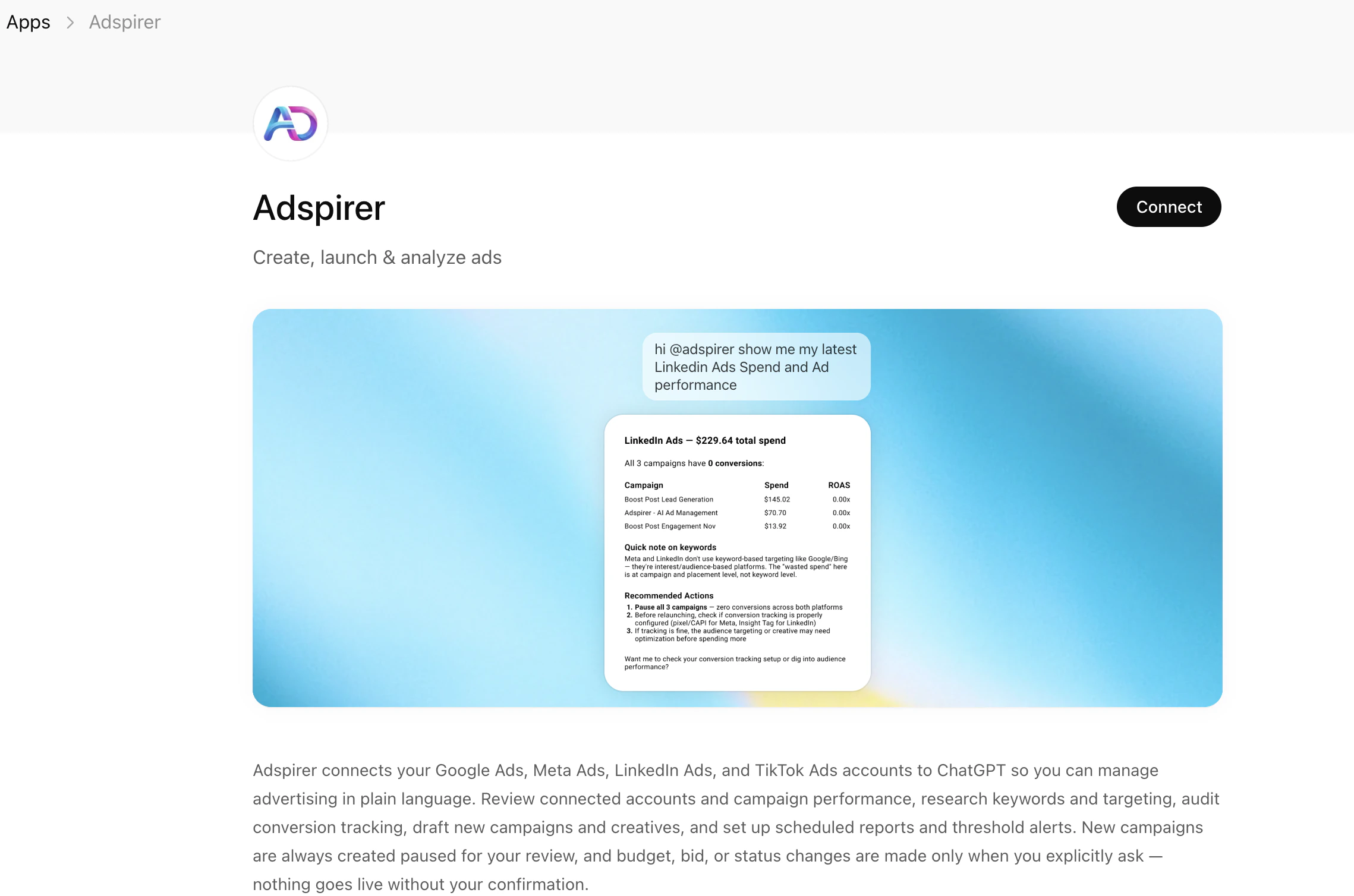
Manage ad campaigns from ChatGPT. Install Adspirer directly from the **ChatGPT App Store** and control Google Ads, Meta Ads, LinkedIn Ads, and TikTok Ads with natural language.
## Prerequisites
* A ChatGPT **Plus**, **Pro**, **Business**, or **Enterprise** account (Apps are not available on the free tier)
* An Adspirer account ([free to start](https://adspirer.ai/sign-up?utm_source=docs\&utm_medium=page\&utm_content=signup)) — you can also create one during the connect step
* At least one ad platform account: Google Ads, Meta Ads, LinkedIn Ads, or TikTok Ads
## Setup (1 Minute)
In ChatGPT, open **Apps** from the left sidebar (or **Settings → Apps**). In the search box, type **Adspirer** and select it from the results.
On the Adspirer app page, click **Connect** in the top right.
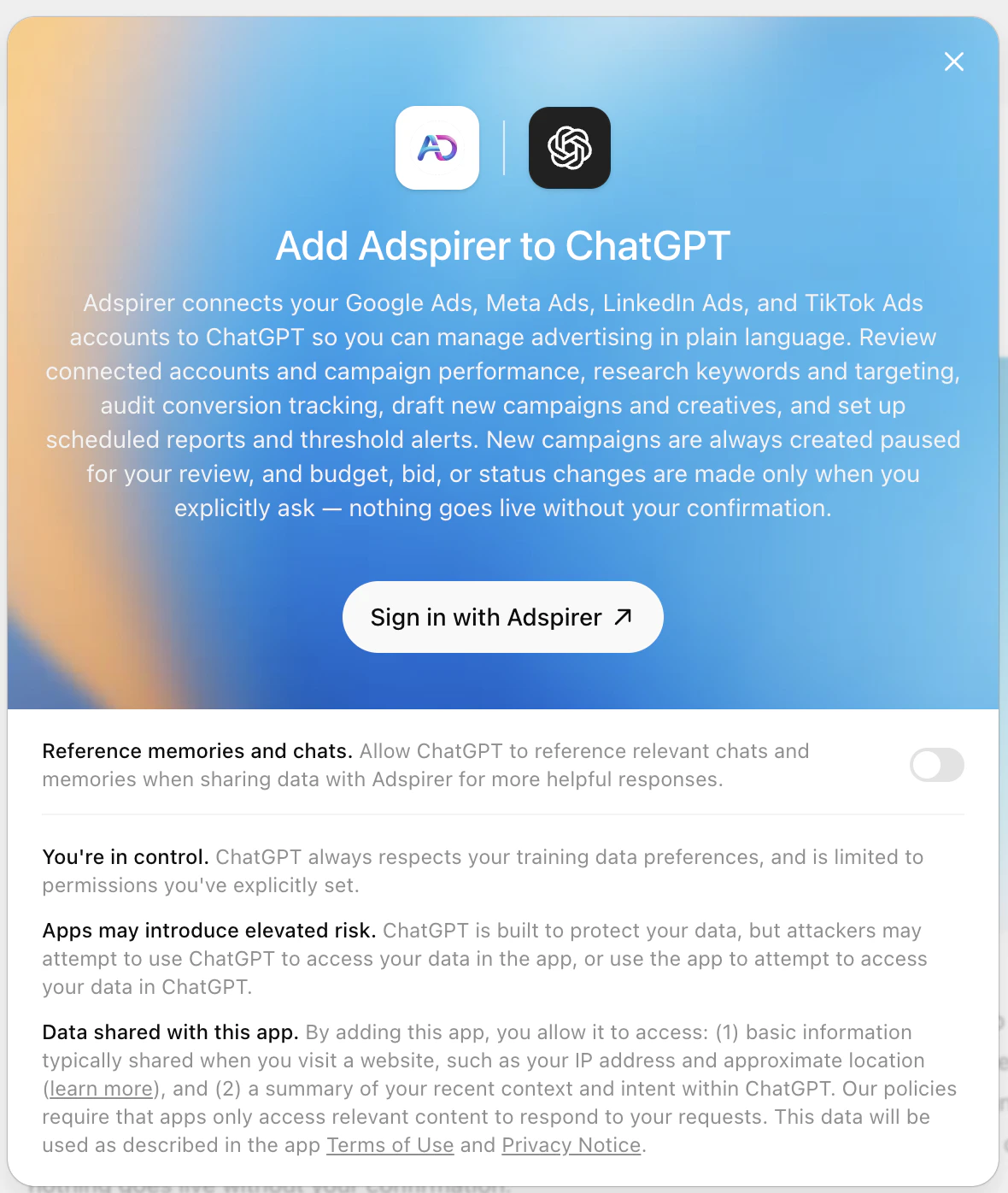
The **Add Adspirer to ChatGPT** dialog appears. Click **Sign in with Adspirer** to authenticate. Your browser opens and redirects to Adspirer's login page — sign in (or create an account) and link your Google Ads, Meta Ads, LinkedIn Ads, and/or TikTok accounts.
The dialog includes a **"Reference memories and chats"** toggle. Enabling it lets ChatGPT use your past conversations and memories when working with Adspirer for more helpful responses. Leave it on (recommended) or off based on your preference.
Return to ChatGPT and start a new conversation. Mention **@adspirer** (or just ask about your campaigns) and ChatGPT will call Adspirer's tools.
```
@adspirer check my connected ad platforms
```
You should see a table showing your connected accounts across all platforms with account IDs, names, and connection status.
15 free tool calls/month. No credit card required. Connect your ad accounts in under a minute.
You're connected. Start any new ChatGPT conversation, mention **@adspirer**, and all 340+ tools are available.
## Connection Details
ChatGPT manages the connection for you through the official app — there's no URL to paste. For reference (or to connect a different MCP client), Adspirer's server details are:
```
App name: Adspirer (ChatGPT App Store)
MCP Server URL: https://mcp.adspirer.com/mcp
Authentication: OAuth
Required Plan: ChatGPT Plus, Pro, Business, or Enterprise
```
## What You Can Do
340+ tools across 6 ad platforms:
| Platform | Tools | Key Capabilities |
| ---------------- | ----- | ---------------------------------------------------------------------------------------------------------------------------- |
| **Google Ads** | 95 | Keyword research with real CPC data, Search & PMax campaigns, per-ad performance, wasted spend analysis, budget optimization |
| **Meta Ads** | 37 | Image/video/carousel campaigns, audience targeting, creative fatigue detection, EU DSA support |
| **Amazon Ads** | 61 | Sponsored Products / Brands / Display, ASIN targeting, ACOS/ROAS analytics, wasted-spend detection |
| **ChatGPT Ads** | 31 | Launch & manage pay-per-click chat-card ads inside ChatGPT, paused by default |
| **LinkedIn Ads** | 45 | Sponsored content, lead gen forms, B2B targeting by job title, industry, seniority |
| **TikTok Ads** | 37 | In-feed video, Spark Ads, Carousel, asset validation, performance analysis |
**Interactive cards.** When you run Adspirer's free [Diagnostic & Helper tools](/agent-skills/diagnostic-helper-tools) — get-started guidance, launch-readiness checks, error explanations, "what changed since last visit" — the answers render as branded interactive cards (checklists, usage meters, opportunity lists, an account switcher) right inside ChatGPT, not just plain text. They're quota-free and available on every plan.
**In-chat dashboards.** Performance and audit answers render as interactive dashboards inside ChatGPT, not walls of text. `get_campaign_performance` (Google) and `get_meta_campaign_performance` (Meta) open a tabbed dashboard — Overview / Campaigns / Insights — with KPI tiles, period-over-period deltas, charts, and **7 / 14 / 30 / 60 / 90-day plus custom date-range** switching that re-runs the query live. `audit_conversion_tracking` renders a graded scorecard, and `get_connections_status` shows an account switcher. Action buttons ("pause this campaign," "draft a message for my developer") post straight back into the chat. These now render on the ChatGPT mobile app too, and fall back to clean text on any client that doesn't support widgets.
## Example Prompts
### Research Keywords
Research Google Ads keywords for "project management software" —
show search volume, CPC, and competition level
### Create a Campaign
Create a Google Ads search campaign for my SaaS product:
* Product: project management tool for remote teams
* Budget: \$60/day
* Research keywords first, then group by intent
### Audit Performance
Audit my Google Ads account for the last 30 days.
Find wasted spend — keywords with clicks but zero conversions.
Mention **@adspirer** in your message to invoke the app directly. ChatGPT can also be conservative about automatically calling tools — if you need a specific one, name it explicitly, e.g., "Use the research\_keywords tool to find keywords for..."
## FAQ
No. Adspirer is now an **official ChatGPT app**, so you no longer need to enable Developer mode, accept an "elevated risk" warning, or paste a server URL. Just search for **Adspirer** in **Apps**, click **Connect**, and sign in. If you previously added Adspirer as a custom connector in Developer mode, you can remove it and reconnect through the App Store — your Adspirer account and ad platform connections carry over.
ChatGPT apps let ChatGPT securely connect to external services. They use the Model Context Protocol (MCP) — the same open standard used by Claude. The Adspirer app enables advertising management across Google Ads, Meta Ads, LinkedIn Ads, and TikTok. If you're weighing apps against a Custom GPT, see [ChatGPT Apps vs Custom GPTs for Advertising](https://www.adspirer.com/blog/chatgpt-apps-vs-custom-gpts).
Apps are available on Plus and Pro plans for individual users. Business and Enterprise plans also support apps with additional admin controls. The free ChatGPT tier does not include app functionality.
Both use the same Adspirer MCP server, so functionality is identical. However, ChatGPT may be more conservative in automatically calling tools — you might need to explicitly mention which tool to use. Claude (created by Anthropic, who also created MCP) tends to invoke tools more naturally and supports progress streaming.
Yes. Your Adspirer account works across all platforms. Connect the same MCP URL to ChatGPT, Claude, Perplexity, Claude Code, Cursor, or any MCP-compatible client. Your ad account connections carry across all of them.
Adspirer pricing is based on tool calls, not ad spend. Free tier: 15 calls/month. Plus: $49/mo for 150 calls. Pro: $99/mo for 600 calls. Max: \$199/mo for 3,000 calls. See [full pricing](https://www.adspirer.com/pricing).
If no Adspirer tools work at all (even basic ones like checking connections), follow these steps:
1. **Check tool permissions:** When ChatGPT prompts you to allow a tool, make sure read tools are set to **Always allow** and write tools to **Custom** (ask each time). If you accidentally blocked tools, go to **Settings → Apps**, find Adspirer, and reset permissions.
2. **Reconnect the app:** Go to **Settings → Apps**, find Adspirer, click **Disconnect**, then reopen the Adspirer app and click **Connect** again to redo the OAuth flow.
3. **Refresh your Adspirer session:** Go to [adspirer.ai](https://adspirer.ai), log out, log back in, then return to ChatGPT.
ChatGPT apps may disconnect every 1–2 weeks — this is normal. Just reconnect and re-authenticate when it happens.
See [Troubleshooting FAQ](/knowledge-base/faq#troubleshooting) for more details.
## Related Documentation
* [Claude Chat App Setup](/ai-clients/claude) — Claude's MCP connector with progress streaming
* [Perplexity Setup](/ai-clients/perplexity) — Search-powered ad management via Perplexity Computer
* [Claude Code Setup](/ai-clients/claude-code) — Terminal-based setup for developers
* [Google Ads Integration](/ad-platforms/google-ads) — Full Google Ads tool reference
* [How to Connect ChatGPT to Google Ads](https://www.adspirer.com/blog/connect-chatgpt-google-ads) — Step-by-step walkthrough with example prompts
* [ChatGPT Apps vs Custom GPTs for Advertising](https://www.adspirer.com/blog/chatgpt-apps-vs-custom-gpts) — Which ChatGPT setup is right for managing ad campaigns
* [Pricing & Plans](https://www.adspirer.com/pricing)